How to Save ChatGPT Responses for Later Without Losing the Best Ideas
AI Productivity
Saving ChatGPT responses for later is a workflow for capturing useful AI answers, preserving context, and turning chat insights into notes you can reuse.

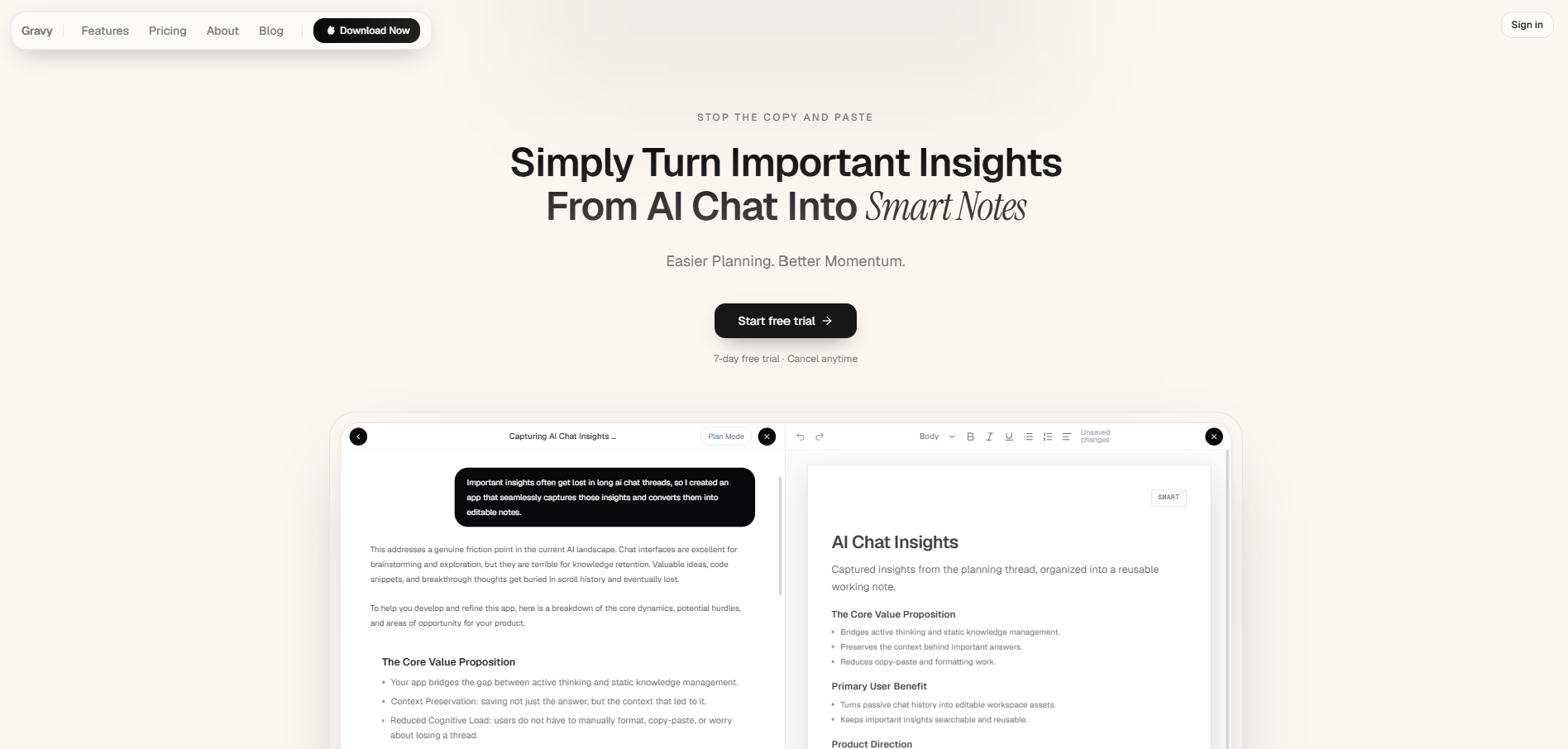
Gravy is an AI chat notebook for the perfect thinking workspace, allowing you to capture, organize and convert insights from AI conversations into structured and editable Smart Notes.

Why do good ChatGPT responses disappear after a long conversation?
Good ChatGPT responses disappear because most AI chats are not actually organized like a notebook. They are organized like a conversation. That works while you are thinking, but it becomes painful once the thread gets long.
I’ve found that the best answer in a ChatGPT session is rarely the final answer. It is often a middle response: a business idea, a launch outline, a pricing thought, a paragraph you want to reuse, or a framework that suddenly makes the whole topic clearer. The problem is that once you keep asking follow-up questions, that useful response gets buried under more text.
This is why saving ChatGPT responses for later needs to be treated as a capture workflow, not an afterthought. If you wait until the end, you force yourself to scroll, skim, remember what mattered, and reconstruct context. The better approach is to capture the useful insight at the moment you recognize it, while the reason it matters is still fresh.
What is the difference between saving a whole ChatGPT conversation and saving one useful answer?
Saving a whole ChatGPT conversation is useful for backup. Saving one useful answer is useful for action. Those are different jobs, and mixing them up is why so many people end up with messy exports, screenshots, and random pasted notes.
| Method | Best for | Main weakness |
|---|---|---|
| Exporting chat history | Archiving full account data | Too broad for daily note-taking |
| Copy-pasting one answer | Quick manual capture | Breaks flow and loses source context |
| Taking screenshots | Saving something visually fast | Hard to search, edit, or reuse |
| Asking ChatGPT to summarize | Compressing a long thread | May omit the exact detail you wanted |
The practical rule is simple: use full exports for backup, but use selective capture for thinking. If ChatGPT gives you a launch checklist, save the checklist. If it gives you ten ideas and only two are strong, save the two. If it explains a decision framework, save the framework and add a title that your future self would search for.
How should you decide which ChatGPT answers are worth saving?
The mistake is trying to save everything. When everything is saved, nothing is easy to find. A strong ChatGPT saving system should filter for reuse value, not volume.
- Save answers that change a decision, such as pricing, positioning, strategy, or next steps.
- Save answers that can become a reusable asset, such as a checklist, outline, script, framework, or plan.
- Save answers that explain something better than you could explain it from memory.
- Save answers that contain assumptions you may need to revisit later.
- Skip answers that are generic, repetitive, obvious, or only useful in that moment.
I recommend using a simple test: “Will I search for this again?” If the answer is yes, save it. Then give it a title based on the future search intent, not the current chat title. For example, “TikTok launch hook ideas” is better than “ChatGPT conversation from Monday.” A saved response should behave like a working note, not like a fossil from an old chat.
Nielsen Norman Group recommends that people using AI for research should ask AI systems to cite primary sources and then check those sources.
What is the best manual workflow to save ChatGPT responses for later?
The best manual workflow is to capture the answer, preserve the reason it mattered, and store it where you will actually look later. This sounds obvious, but most people only do the first part. They copy a ChatGPT answer into Apple Notes, Notion, Google Docs, or a document, then later forget what project it belonged to or why they saved it.
- Create one destination for AI-saved notes instead of scattering them across apps.
- Use a title that describes the saved insight, not the original chat.
- Add one line of context above the pasted answer.
- Keep only the useful section, not the entire AI response.
- Tag or group the note by project, decision, or use case.
The hidden cost is context switching. Every time you leave ChatGPT to open another app, create a note, paste text, clean formatting, and return to the conversation, you interrupt the thinking session. That interruption matters most when you are brainstorming, planning, or making decisions, because the value is in the momentum.
How can an AI chat notebook make saved ChatGPT responses easier to reuse?
An AI chat notebook improves the workflow by putting the conversation and the note system in the same workspace. Instead of treating ChatGPT as one app and your notes as another app, the AI response becomes the starting point for a structured note.
This matters because useful AI answers are usually not finished documents. They are raw thinking material. A response might contain a strong paragraph, a useful framework, a set of next steps, and three sections you do not need. A normal copy-paste workflow makes you grab too much or stop to manually edit. A better workflow lets you save only the part that has value.
By using Gravy, the idea is simple: chat normally, let the response be separated into Smart Blocks, then save the useful block as a Smart Note. The note becomes editable and organized without forcing you to leave the conversation. That is the real difference between storing a transcript and building a reusable knowledge base from your AI thinking.
How to save ChatGPT responses for later
- Identify the reusable part of the responseDo not save the entire answer by default. Look for the section that you would realistically use again, such as a framework, checklist, plan, explanation, or decision summary.
- Give the saved response a future-facing titleTitle the note based on what you would search later. Use names like “launch week checklist,” “pricing objections,” or “content angles for TikTok” instead of vague titles like “ChatGPT answer.”
- Add one sentence of contextBefore or after the saved answer, write why it mattered. For example: “This is the positioning framework I chose for the first landing page test.”
- Store it in one consistent note systemPick one destination for AI-saved responses. Scattered notes create the same problem as scattered chats: you technically saved the idea, but you cannot reliably find it.
- Review saved responses by projectOnce a week, review saved AI responses by project or goal. Delete weak notes, merge duplicates, and turn the best saved answers into plans, drafts, checklists, or decisions.
How Gravy fits
Gravy is built for the moment when a useful AI answer appears and you know you will need it later. Instead of copying, pasting, screenshotting, or asking the AI to repeat itself, you can save useful Smart Blocks as editable Smart Notes inside the same workspace. That makes it easier to capture insights from chat while your thinking is still active.
FAQ
What is the easiest way to save ChatGPT responses for later?
The easiest way is to save only the useful part of the response into a dedicated note system, then add a clear title and one sentence of context. This is better than saving the entire conversation because it makes the answer easier to find and reuse.
Can I export my ChatGPT conversations?
Yes. OpenAI provides a data export option through ChatGPT settings and Data Controls. That is useful for account backup, but it is not the same as turning individual answers into organized, editable notes.
Is taking screenshots of ChatGPT answers a good long-term system?
Screenshots are fast, but they are weak for long-term use because the text is harder to edit, search, reorganize, or turn into action. They also clutter your camera roll with large blocks of text.
How do I save only part of a ChatGPT answer?
Manually, you can highlight and copy only the section you need. A better workflow is to use an AI chat notebook like Gravy, where useful response sections can be captured as Smart Notes without copying the whole answer.
Where should I store important ChatGPT answers?
Store important ChatGPT answers somewhere you already review and organize ideas. For many people that is Apple Notes, Notion, Google Docs, or an AI chat notebook. The key is to avoid scattering saved answers across too many places.
Keep reading

Last updated