How to Save ChatGPT Answers to Apple Notes Without Creating a Mess
Note-Taking
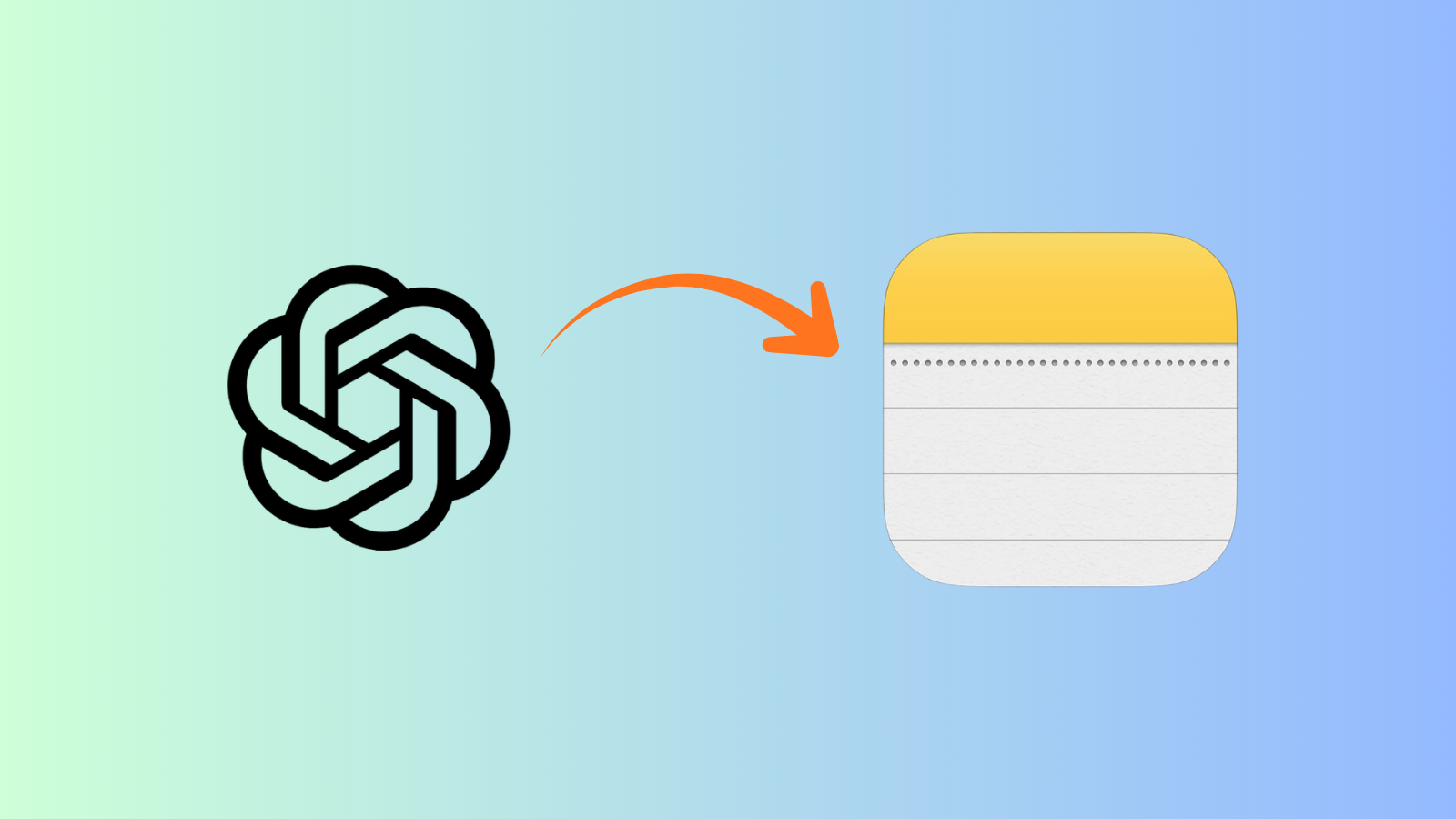
Saving ChatGPT answers to Apple Notes is a capture workflow that moves useful AI responses into searchable, editable notes with context.

Gravy is an AI chat notebook for the perfect thinking workspace, allowing you to capture, organize and convert insights from AI conversations into structured and editable Smart Notes.

How do you save ChatGPT answers to Apple Notes?
You save ChatGPT answers to Apple Notes by copying the useful part of the AI response, opening Notes, creating or choosing the right note, pasting the answer, then adding a title and context before you forget why it mattered. The simple version is copy and paste. The better version is selective capture.
The mistake is copying the entire ChatGPT response into Apple Notes every time. That feels safe in the moment, but it usually creates giant notes you never want to reread. A strong saved note should preserve the useful answer, not the whole exploration. If ChatGPT gives you a framework, save the framework. If it gives you ten ideas and only two are strong, save the two.
I recommend adding one sentence above the pasted answer: “Use this for the first draft of the launch checklist,” or “This explains the pricing tradeoff for the subscription plan.” That context sentence is what turns pasted AI text into a working note.
What is the best Apple Notes structure for ChatGPT answers?
The best Apple Notes structure for ChatGPT answers is simple enough to use quickly and specific enough to find later. I would avoid one giant folder called “ChatGPT.” That folder becomes a graveyard fast. Instead, organize by what the saved answer helps you do: plan a project, make a decision, write a draft, understand a topic, or keep research.
| Apple Notes area | Use it for | Example |
|---|---|---|
| Folder | Broad project or workspace | App launch |
| Tag | Reusable topic label | #pricing |
| Smart Folder | Filtered saved answers | AI research notes |
| Pinned note | Active reference | Launch plan |
For each saved answer, use a title that describes the future use. “ChatGPT answer” is weak. “Landing page objection handling” is strong. Then add tags like #launch, #pricing, #content, #research, or #decision. If you save a lot of AI answers, Smart Folders can help you automatically collect notes that match certain tags or filters.
This structure also protects you from mixing temporary AI output with long-term knowledge. A quick prompt response may belong in an inbox folder until reviewed. A decision or reusable framework should move into the project folder where you will actually use it.
Why does copy-pasting ChatGPT into Apple Notes become hard to manage?
Copy-pasting ChatGPT into Apple Notes becomes hard to manage because the workflow saves text faster than it creates meaning. You may paste a useful answer, but unless you add a clear title, context, and organization, the note becomes another wall of text. Later, you have to search, skim, and remember why you saved it.
The friction also interrupts the AI session. You are in ChatGPT thinking through a project, and suddenly you have to switch apps, create a note, paste the text, fix formatting, choose a folder, maybe add tags, then return to the conversation. The more valuable the brainstorming session, the more painful that interruption becomes.
- Pasting full answers creates long notes that are hard to review.
- Vague titles make Apple Notes search less useful.
- Missing context makes the saved answer feel disconnected later.
- Scattered folders make related AI insights hard to combine.
- Screenshots keep the idea visible but make the text harder to edit.
That is why the real problem is not Apple Notes. The problem is the handoff between AI chat and the place where your ideas live. If that handoff is too slow, you either skip saving or dump everything in without structure.
What should you include when saving a ChatGPT answer in Apple Notes?
When saving a ChatGPT answer in Apple Notes, include the useful section, a clear title, one sentence of context, and a retrieval label. The useful section is the exact part of the AI response you would reuse. The title tells your future self what the note is for. The context sentence explains why the answer mattered. The retrieval label helps you find it later.
- Title: describe the future use, such as “weekly planning checklist.”
- Context: explain the project, question, or decision in one sentence.
- Saved answer: paste only the useful part of the ChatGPT response.
- Tag: add a topic or workflow tag, such as #launch or #research.
- Next step: write what you plan to do with the answer.
This structure keeps Apple Notes from becoming a dumping ground. It also helps when you save AI answers across many topics. A note called “customer research summary for waitlist page” with #research and #launch is easier to retrieve than a note called “AI idea.” The content may be the same, but the retrieval quality is completely different.
How does Gravy make saving ChatGPT answers easier than Apple Notes copy-paste?
Gravy makes saving ChatGPT answers easier by removing the gap between AI chat and note capture. Apple Notes is useful once the note exists, but the hard part is getting the right answer out of the AI conversation without breaking your flow. In a manual workflow, you have to copy, switch apps, paste, title, tag, and return.
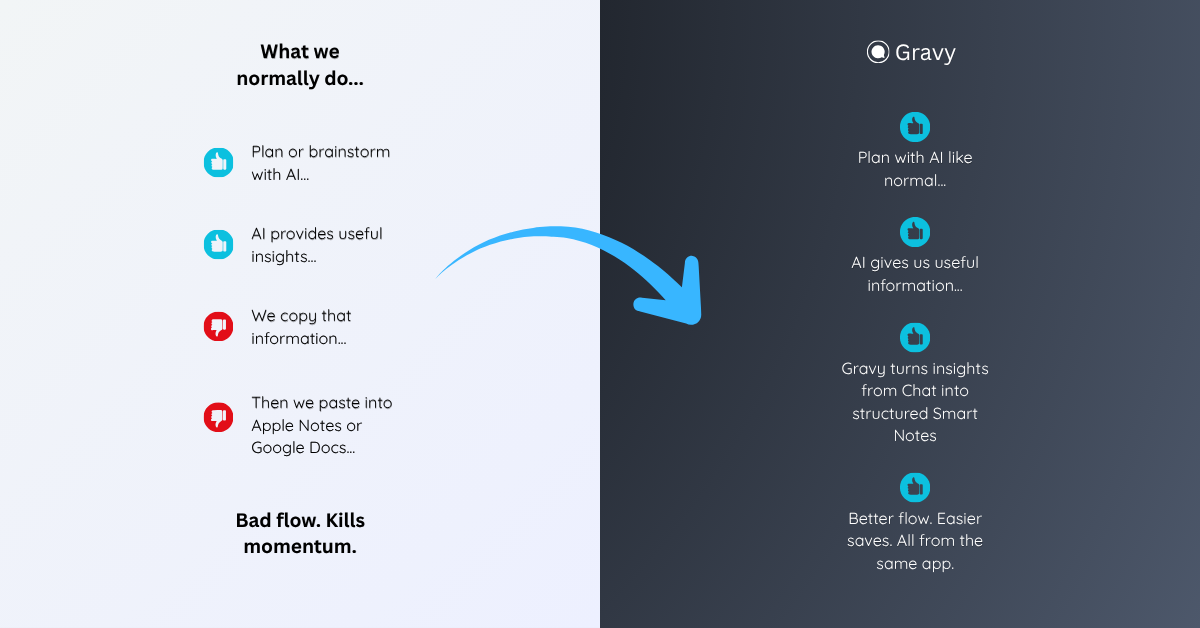
Gravy starts where the AI idea begins. You chat normally in Gravy Chat, using AI to brainstorm, plan, research, learn, or make decisions. When the AI gives a useful response, Gravy separates it into Smart Blocks. You choose the section worth keeping and save it as an editable Smart Note inside the same workspace.
That does not mean Apple Notes is bad. It means Apple Notes is a general note app, while Gravy is an AI chat notebook. If your best ideas start inside AI conversations, Gravy helps you capture the insight before it turns into a copy-paste cleanup task. You can still move finished notes elsewhere later, but the capture moment happens where the thinking started.
How to save ChatGPT answers to Apple Notes
- Identify the useful sectionRead the ChatGPT response and choose the part that has future value, such as a checklist, framework, draft, decision, explanation, or research summary.
- Copy only what you needAvoid copying the entire answer unless every section matters. The smaller and more focused the saved text is, the easier it will be to reuse later.
- Create a clear Apple Notes titleUse a title based on future search intent, such as “launch email outline” or “pricing tradeoff summary,” not a vague title like “ChatGPT notes.”
- Add context and tagsWrite one sentence explaining why the answer matters and add tags like #launch, #pricing, #research, #draft, or #decision to improve retrieval.
- Review saved AI notes weeklyClean up pasted answers, merge duplicates, delete weak saves, and move the strongest ChatGPT notes into active projects, plans, or drafts.
How Gravy fits
Gravy fits this workflow because saving ChatGPT answers should not require leaving the conversation every time something useful appears. You can chat normally, save the right Smart Block as an editable Smart Note, and keep your AI insights organized before they get buried. Apple Notes can still be useful, but Gravy handles the AI chat-to-note moment directly.
FAQ
Can I save ChatGPT answers to Apple Notes?
Yes. You can copy a useful ChatGPT answer and paste it into Apple Notes. For best results, save only the useful section, add a clear title, include one context sentence, and organize it with folders or tags.
What is the best way to organize ChatGPT notes in Apple Notes?
Organize ChatGPT notes by project, decision, workflow, or content type. Use folders for broad areas and tags like #research, #launch, #pricing, #draft, or #decision for easier retrieval.
Should I paste the whole ChatGPT response into Apple Notes?
Usually no. Paste only the section you would realistically reuse. Full AI responses often create long notes that are harder to search, review, and act on later.
Are screenshots better than Apple Notes for saving ChatGPT answers?
Screenshots are fast, but Apple Notes is better for important answers because the text stays editable, searchable, and easier to organize into projects or folders.
How does Gravy compare with Apple Notes for AI answers?
Apple Notes is a general note app. Gravy is an AI chat notebook that lets you save useful sections of AI responses as Smart Notes without copy-pasting from one app to another.