Best Apps to Save ChatGPT Responses Without Losing Useful Ideas
AI Productivity
The best apps to save ChatGPT responses are tools that help you capture useful AI answers, organize them by purpose, and reuse them later.

Gravy is an AI chat notebook for the perfect thinking workspace, allowing you to capture, organize and convert insights from AI conversations into structured and editable Smart Notes.

What makes an app good for saving ChatGPT responses?
A good app for saving ChatGPT responses should do more than store copied text. It should help you capture the useful part of the answer, preserve context, organize it by future use, and make it easy to find again. That matters because ChatGPT responses are often raw thinking material. They may contain a strong framework, a useful checklist, a rough draft, and several paragraphs you do not need.
I would judge every app by five criteria: capture speed, search, organization, editability, and context preservation. Capture speed matters because you are usually in the middle of a thought. Search matters because saved AI answers are only valuable if you can retrieve them. Organization matters because one folder called “ChatGPT” becomes a junk drawer quickly. Editability matters because AI output usually needs refinement. Context matters because a pasted answer without a project, question, or decision attached can become confusing later.
The best app is not always the most powerful one. It is the one that matches the job: quick personal capture, project planning, long-form drafting, structured research, or AI-native Smart Notes.
Which apps are best for saving ChatGPT responses?
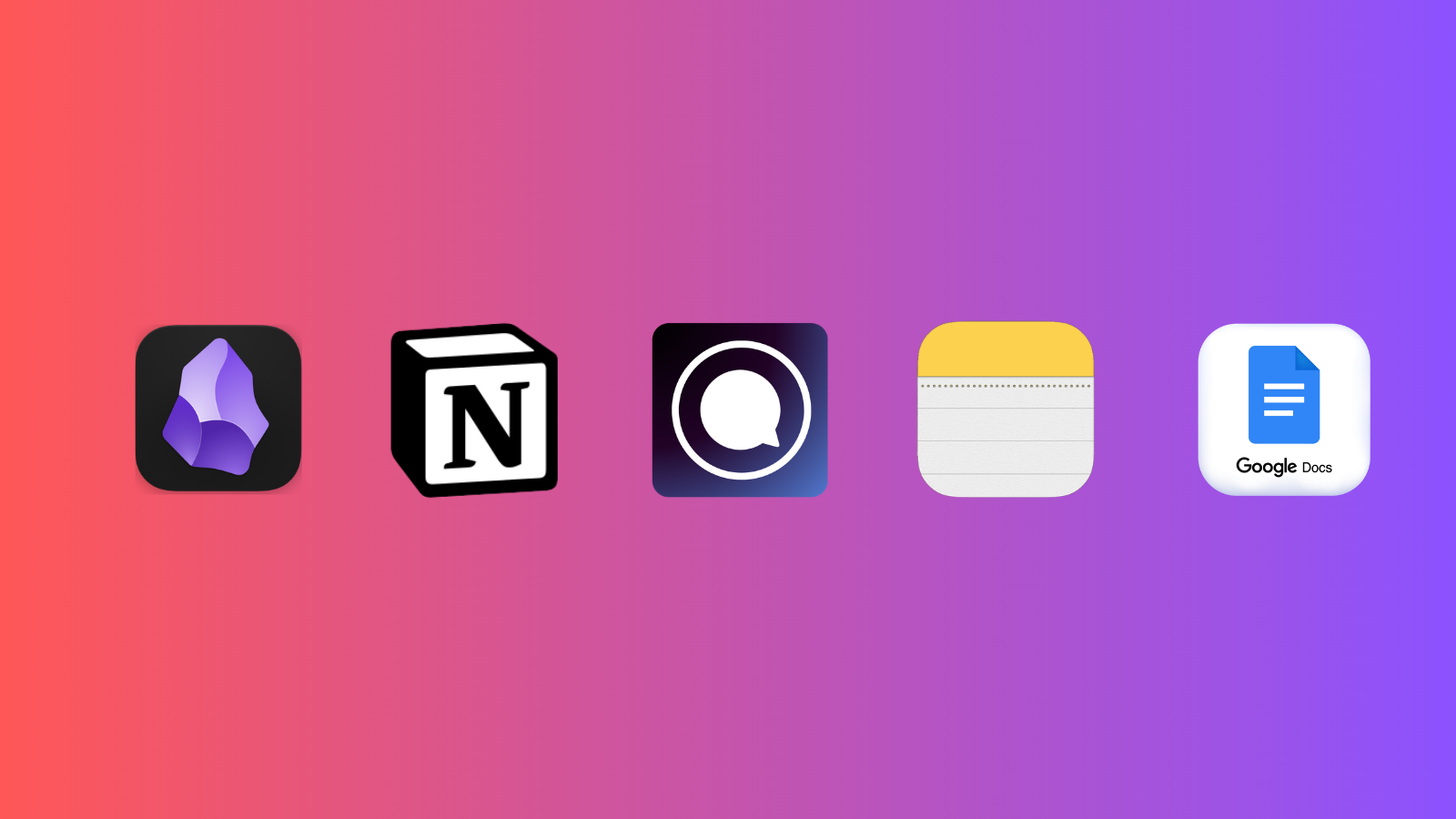
The best apps for saving ChatGPT responses fall into different categories. If you only need fast capture on iPhone or Mac, Apple Notes is hard to beat. If you want databases, project pages, and team collaboration, Notion is stronger. If you want long-form documents, Google Docs works well. If you want a local personal knowledge base with backlinks, Obsidian is a strong fit. If you want the AI conversation and notes in one place, Gravy fits a different category: an AI chat notebook.
The ranking depends on intent. Gravy is strongest when the pain is moving from AI chat to notes. Apple Notes is strongest when speed matters. Notion is strongest when the saved answer belongs inside a larger workspace. Google Docs is strongest when the response needs to become a polished document. Obsidian is strongest when you want a personal knowledge base with links between ideas.
When should you use ChatGPT Projects instead of a notes app?
Use ChatGPT Projects when you want to keep related chats, files, and instructions together inside ChatGPT. Projects are useful for ongoing work because they reduce the chaos of one giant chat history. For example, you might create a project for a product launch, a research topic, a course outline, or a recurring planning workflow. That keeps the conversation context closer to the work.
But Projects and notes solve different problems. A Project organizes the conversation container. A note app organizes the reusable output. If ChatGPT gives you a pricing framework inside a Project, the framework may still be buried in a thread later. If you want to reuse that framework, turn it into a note with a title, context sentence, and project label.
My recommendation is to use Projects for active AI work and notes for durable insights. Projects answer: “Where does this conversation belong?” Notes answer: “What useful thing came out of this conversation?” If you rely only on Projects, you may still end up scrolling through long threads to find one answer.
How should you choose between Apple Notes, Notion, Google Docs, Obsidian, and Gravy?
Choose based on what happens after you save the ChatGPT response. If the saved answer is a quick reminder, Apple Notes is enough. If it belongs inside a project dashboard with tasks, databases, and team docs, Notion is the better fit. If it needs to become a polished memo, article, brief, or shared document, Google Docs makes sense. If it is part of a long-term personal knowledge system, Obsidian is worth considering.
| App | Best use case | Main tradeoff |
|---|---|---|
| Apple Notes | Fast personal capture | Less structured for AI threads |
| Notion | Projects and databases | Can become heavy |
| Google Docs | Long-form drafts | Weak for small captures |
| Obsidian | Linked knowledge base | More setup required |
| Gravy | AI chat to Smart Notes | Purpose-built for AI capture |
The cleanest test is this: are you mainly saving notes from outside AI, or are you constantly pulling insights out of AI conversations? If most of your best ideas start inside chat, an AI chat notebook is the more natural fit. If AI is only one input among many, a general note app may be enough.
Why is Gravy different from normal note apps for saving AI responses?
Gravy is different from normal note apps because it starts from the real AI workflow. Most people do not begin with a finished idea. They open an AI chat, think out loud, ask follow-up questions, compare options, and slowly uncover the useful insight. Traditional note apps usually enter the workflow after the valuable answer appears, which creates the copy-paste gap.
Gravy closes that gap by putting AI chat and structured notes in the same workspace. You use Gravy Chat normally. When the AI gives you a useful answer, the response is separated into Smart Blocks. Instead of copying the whole response, you save the specific block that matters. That block becomes an editable Smart Note.
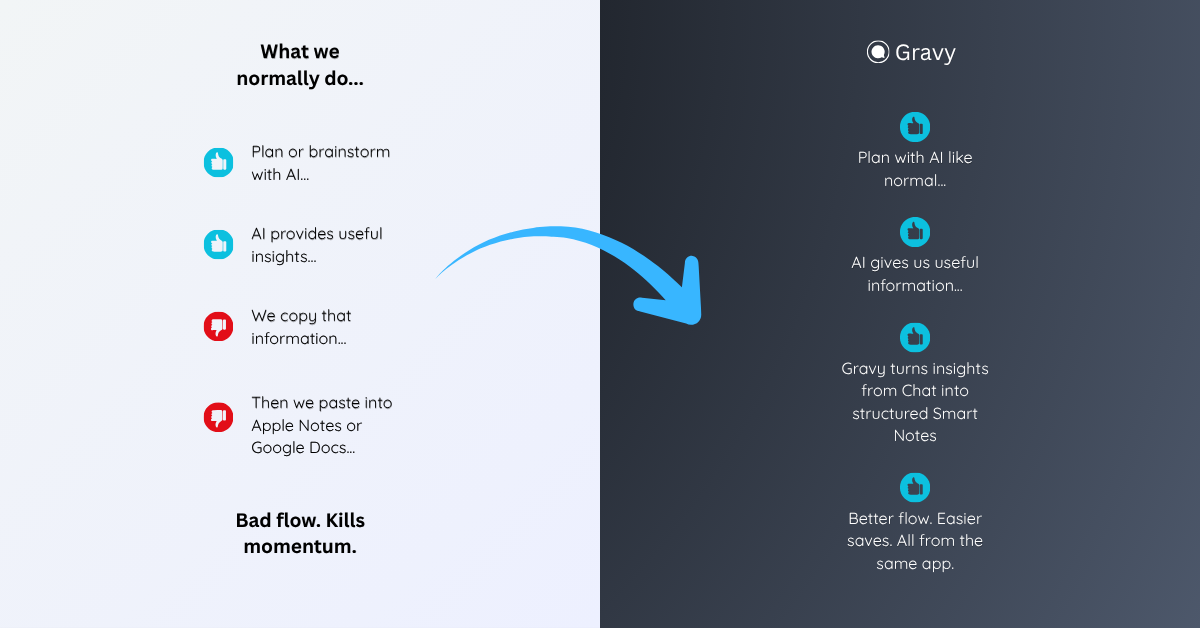
That is why Gravy should not be judged as just another note app. It is an AI chat notebook. Its job is not only to store notes, but to turn insights from chat into organized, reusable notes while you are still thinking. That is the exact moment where Apple Notes, Notion, Google Docs, and screenshots usually require extra manual work.
How to choose the best app to save ChatGPT responses
- Identify the real jobDecide whether you are saving quick reminders, project knowledge, long-form drafts, research notes, or AI chat insights. The best app depends on the job after capture.
- Check how much friction capture createsIf saving requires switching apps, copying too much text, fixing formatting, and rebuilding context, the workflow will break during long brainstorming sessions.
- Choose the right organization layerUse folders, tags, projects, databases, or Smart Notes based on how you expect to retrieve the answer later.
- Save only reusable answersDo not use any app as a dumping ground. Save frameworks, plans, checklists, summaries, decision notes, scripts, and explanations you would search for again.
- Review your saved AI notes weeklyClean up weak saves, merge duplicates, and move the best ChatGPT responses into active projects, content plans, research files, or decision documents.
How Gravy fits
Gravy fits this category because it is built specifically for the gap between AI chat and note-taking. Instead of copying ChatGPT responses into a separate app, you can chat, choose the useful Smart Block, and save it as an editable Smart Note in the same workspace. That makes Gravy a strong choice when your best ideas start inside AI conversations.
FAQ
What is the best app to save ChatGPT responses?
The best app depends on your workflow. Apple Notes is best for quick capture, Notion for structured projects, Google Docs for long-form drafts, Obsidian for linked knowledge bases, and Gravy for saving useful AI response sections as Smart Notes.
Can I use Apple Notes to save ChatGPT answers?
Yes. Apple Notes works well for quick personal saves, especially if you use folders, tags, and Smart Folders. The main limitation is that you still need to manually copy, paste, title, and organize the ChatGPT answer.
Is Notion good for saving ChatGPT responses?
Notion is good when the saved ChatGPT response belongs inside a larger project workspace, database, wiki, or team knowledge system. It can be more structure than you need for quick captures.
Are ChatGPT Projects enough to organize saved answers?
ChatGPT Projects help organize related chats, files, and instructions, but important answers may still stay buried inside threads. For reusable insights, it is better to save the specific answer as a note.
What is an AI chat notebook?
An AI chat notebook is a workspace that combines AI chat with structured notes, so useful answers from AI conversations can be captured, edited, organized, and reused without leaving the chat flow.