How to Export ChatGPT Conversations and What to Do With Them After

ChatGPT Workflows
Exporting ChatGPT conversations is a backup workflow that saves your account data, but reusable AI insights still need organized notes.

Gravy is an AI chat notebook for the perfect thinking workspace, allowing you to capture, organize and convert insights from AI conversations into structured and editable Smart Notes.

How do you export ChatGPT conversations from your account?
You export ChatGPT conversations through your account settings. The usual flow is to sign in, open your profile menu, go to Settings, choose Data Controls, then select Export under the export data option. After confirming the export, OpenAI sends the export to the email address on your account. This is the official path for getting a copy of your ChatGPT history and related account data.
The important thing to understand is what this export is for. It is an account data export, not a polished notebook. It can help you preserve old conversations, keep records, or review what you have discussed with ChatGPT over time. It is less useful when your real goal is to find one good answer from a long planning session.
I would treat ChatGPT export as a backup layer. It answers the question, “Can I get my data?” It does not fully answer the more practical question, “Can I easily reuse the best ideas from my AI conversations?”
What do you actually get when you export ChatGPT history?
When you export ChatGPT history, you are generally getting a copy of your account data rather than a set of clean, organized notes. That distinction matters. A data export is built to preserve information. A note system is built to help you retrieve, edit, and reuse information. Those jobs overlap, but they are not the same.
In practical terms, an export can contain the raw material of your AI work: old conversations, prompts, responses, and account-related data. That is helpful if you want a backup or need to audit what you have done. But if your goal is to find the product roadmap idea, the marketing angle, the customer avatar, or the decision framework, an export may still force you to dig.
This is where many users get disappointed. They expect the export to feel like a searchable knowledge base, but it usually feels more like a storage box. The data is there, but the thinking has not been distilled into usable pieces.
| Export gives you | Useful for | Still missing |
|---|---|---|
| Conversation history | Backup | Clean note structure |
| Full transcripts | Review | Insight-level organization |
| Account data | Records | Project context |
| Raw text | Audit trail | Reusable summaries |
Why is exporting ChatGPT conversations not enough for daily note-taking?
Exporting ChatGPT conversations is not enough for daily note-taking because exports preserve too much and organize too little. The whole problem with long AI conversations is that the best answer is often buried inside a wall of exploration. Exporting that wall does not solve the retrieval problem. It simply moves the wall somewhere else.
This matters most when you use ChatGPT for brainstorming, research, business planning, personal planning, or learning. In those sessions, the useful output is rarely the entire transcript. It is usually one section: a framework, checklist, explanation, draft, table, decision summary, or next-step plan. If you only export the chat, you still need to search, skim, copy, rename, and reorganize later.
A better mental model is archive versus working memory. Exports are archives. Notes are working memory. The archive proves the conversation happened. The note helps you act on what the conversation produced. If you want to reuse AI insights, you need both, but the note layer is what makes the information useful.
How should you organize ChatGPT exports after downloading them?
After downloading a ChatGPT export, organize it by purpose instead of dumping it into a generic folder. The export itself is only a container. Your job is to separate conversations worth archiving from insights worth turning into notes. Otherwise, you create another digital junk drawer that technically contains your ideas but does not help you find them.
- Store the original export in a dated backup folder.
- Create project folders for active work, decisions, research, and reference material.
- Search the export for high-value topics, such as launch, pricing, customer, strategy, or checklist.
- Extract the exact answers that have future value into separate notes.
- Rename each saved note based on the outcome it supports.
Do not try to perfectly reorganize every exported conversation. That is usually a procrastination trap. Start with the conversations connected to active work. If a thread helped you make a decision, build a plan, create content, understand a market, or outline a project, extract the useful part. Everything else can stay in the archive until you need it.
How can you avoid needing exports just to find old ChatGPT ideas?
You can avoid needing exports just to find old ChatGPT ideas by saving the useful parts while the conversation is still happening. This is the central workflow shift. Instead of waiting until your chat history becomes overwhelming, capture important answers as soon as they appear. That prevents your best ideas from becoming buried transcript fragments.
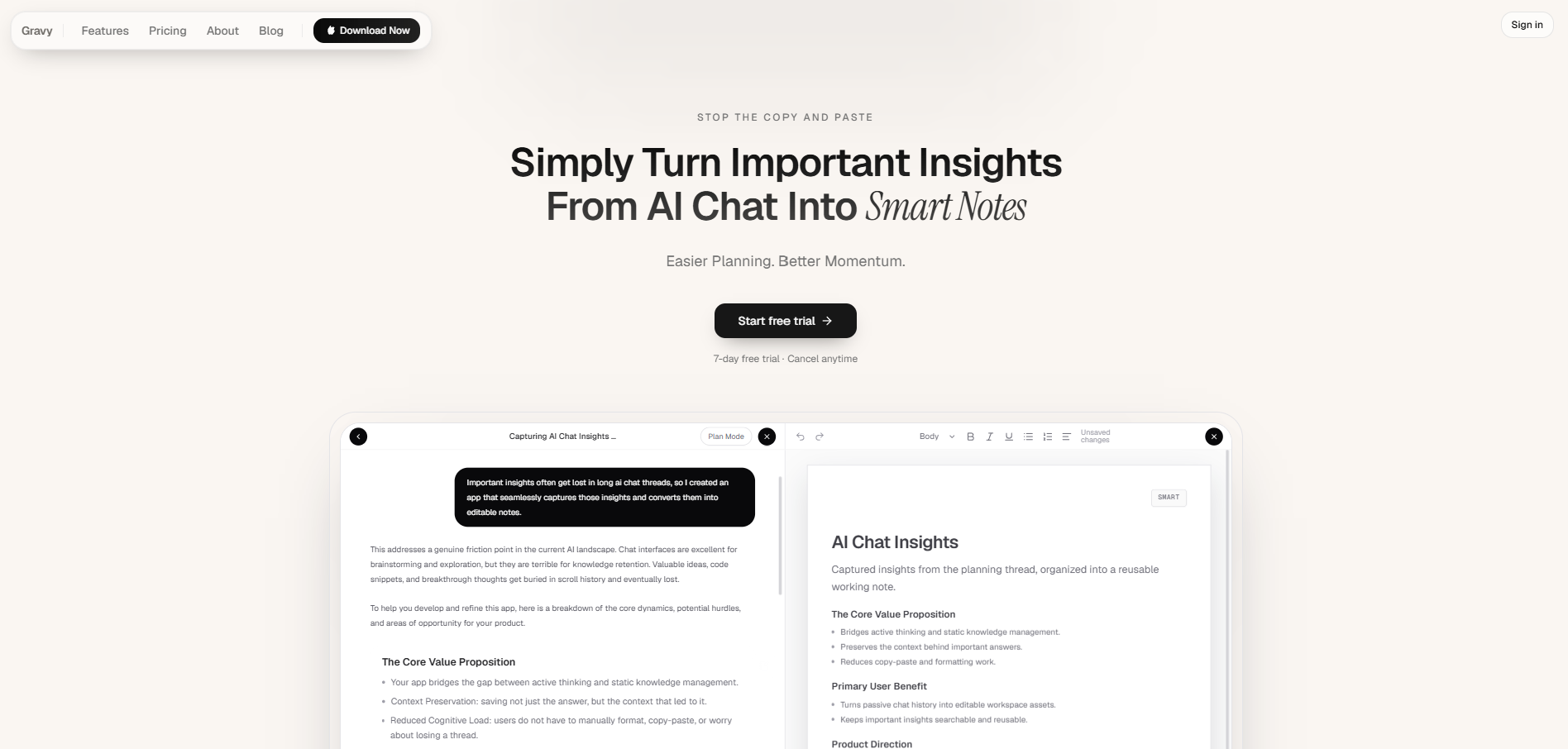
Gravy is built around that moment. You chat normally in Gravy Chat, using AI to brainstorm, plan, research, or think through a decision. When the response contains something useful, Gravy separates the answer into Smart Blocks so you can choose the specific section worth keeping. One click turns that section into an editable Smart Note.
That means you still have the conversation, but you are not relying on the conversation as your main organization system. The best ideas become notes while they are fresh. The export becomes a backup, not your emergency method for recovering lost thinking. That is the difference between owning your data and actually being able to use it.
How to export ChatGPT conversations and turn them into notes
- Export your ChatGPT dataOpen ChatGPT settings, go to Data Controls, choose Export data, and confirm the export. Save the export in a secure dated folder so you can identify when it was created.
- Separate backup from active workKeep the original export untouched as an archive. Then identify conversations connected to active projects, decisions, research, content, learning, or planning.
- Search for high-value topicsLook for keywords tied to real use, such as roadmap, pricing, launch, customer, checklist, decision, script, framework, or next steps.
- Extract only reusable answersDo not turn every conversation into a note. Pull out the specific sections that can become plans, drafts, frameworks, checklists, summaries, or reference material.
- Create a note with contextGive each extracted answer a clear title, add one sentence explaining why it matters, and store it under the project or decision where you will need it again.
How Gravy fits
Gravy fits this problem because exporting should be your backup, not your main way to recover useful AI ideas. With Gravy, you can chat normally, save the best Smart Blocks as editable Smart Notes, and keep useful insights organized before they disappear into a long transcript.
FAQ
Can I export all my ChatGPT conversations?
Yes. OpenAI provides a data export option in ChatGPT settings under Data Controls. After you confirm the export, the export is sent to the email address associated with your account.
Is exporting ChatGPT conversations the same as saving notes?
No. Exporting preserves conversation data for backup or review. Saving notes turns specific useful answers into organized, editable material you can reuse for projects, decisions, drafts, or research.
What should I do after exporting ChatGPT history?
Store the original export as a backup, then extract only high-value answers from important conversations. Give each extracted answer a clear title, add context, and place it in your active note system.
Why are ChatGPT exports hard to use later?
Exports are hard to use because they preserve full transcripts, not neatly organized insights. You may still need to search through long conversations to find the one answer you wanted.
How does Gravy reduce the need to export ChatGPT conversations?
Gravy lets you save useful AI response sections as Smart Notes during the conversation. That way, the most important ideas are already organized before you ever need to download an archive.