Coconote Alternatives

Comparisons
Coconote is an AI note taker that turns lectures and learning materials into organized notes, study guides, quizzes, flashcards, and other study tools.

Gravy is an AI chat notebook for the perfect thinking workspace, allowing you to capture, organize and convert insights from AI conversations into structured and editable Smart Notes.

What are the best Coconote alternatives for students?

The best Coconote alternatives for students are not all the same type of app. Coconote is built around a clear student workflow: record or upload learning material, turn it into organized notes, then study from AI-generated tools like quizzes, flashcards, study guides, podcasts, videos, and games. That makes it a strong option when the original source is a lecture, class recording, assigned document, or educational video.
But students do not only take notes from lectures. They also ask ChatGPT to explain hard concepts, use NotebookLM to question PDFs, record group study sessions, create flashcards, organize research, and save useful AI explanations for later. That is why a useful alternatives list should start with the job you are trying to do, not just the brand name of the app.
If your main goal is class capture, look for an app that handles audio, transcription accuracy, long recordings, and study materials. If your main goal is understanding a source pack, look for a source-grounded research tool. If your main goal is meeting capture, look for a meeting assistant. If your main goal is saving the best explanation or plan from an AI chat, look for an AI chat notebook like Gravy.
- For lecture recordings: choose a tool focused on audio capture, transcripts, study guides, and quizzes.
- For PDFs and class sources: choose a tool that lets you ask questions across documents and cite the source material.
- For meetings or group calls: choose a meeting assistant that records, summarizes, and extracts action items.
- For AI chat insights: choose a notebook built around saving useful AI response blocks while you are still thinking.
- For long-term studying: choose the tool that makes review easier, not just the tool that creates the longest transcript.
| Alternative type | Best for | When it beats Coconote |
|---|---|---|
| NotebookLM-style research notebook | Studying PDFs, slides, notes, and web sources | When your main material is a set of documents, not a live lecture |
| Meeting assistant | Calls, interviews, team meetings, and action items | When the output needs speaker notes, summaries, and follow-up tasks |
| AI chat notebook | Saving useful AI answers as reusable notes | When the valuable idea starts inside ChatGPT-style conversation |
| Traditional note app with AI | Organizing class notes, tasks, and projects | When you need a broad workspace more than automated lecture study tools |
Is there a free Coconote alternative for lecture notes?
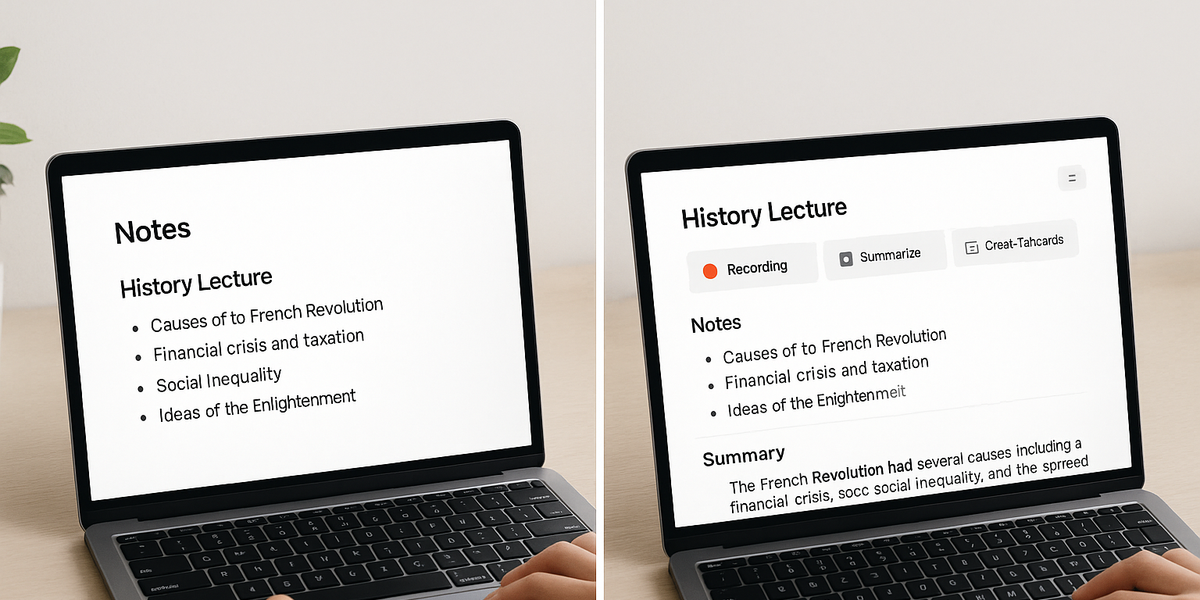
People often search for a free Coconote alternative because the first version of the problem feels simple: record a lecture, get notes, and study from them. In practice, the free-versus-paid question depends on limits. Many AI note-taking apps are free to download but restrict premium features, recording length, uploads, exports, summaries, quizzes, or advanced study tools. A student may not feel the limit during one short class, but the limit becomes obvious during a full semester.
The better question is: what do you need for your actual study workflow? If you only need occasional transcription, a free plan from a transcription tool may be enough. If you need weekly lecture capture, exam review, quizzes, and flashcards, a paid education-focused app may be worth it. If you are mostly using AI chats to understand topics, brainstorm papers, or turn explanations into reusable notes, a lecture-first app may not be the best fit at all.
A strong Coconote alternative should be evaluated by capture quality, review quality, export options, search, editing, and whether the note remains useful two weeks later. The cheapest app is not always the best alternative if it creates notes you never revisit.
- Check whether the free plan supports the recording length you actually need for lectures.
- Look at whether notes become study materials, not just transcripts.
- Confirm whether the app supports your device, especially if you use both iPhone and iPad.
- Test whether you can edit, organize, and search your notes after they are generated.
- Compare the workflow cost: an app that saves time every class may be more valuable than a free app you must constantly fix.
How to evaluate a Coconote alternative before paying
- Record one real classDo not judge the app only from a demo. Use a real lecture with normal background noise, pacing, slides, and topic changes.
- Review the generated notesCheck whether the notes capture the main ideas, definitions, examples, and professor emphasis without adding confusing filler.
- Use the study toolsTry the quizzes, flashcards, summaries, or review features. The best alternative helps you study, not just store a transcript.
- Search a week laterCome back after several days and search for a concept. If the note is hard to find or understand, the workflow may not scale.
Which Coconote alternative is better for meetings, classes, and AI chat?

Coconote alternatives become much easier to compare when you separate meetings, classes, and AI chat. A meeting assistant is optimized around live conversation capture. It may join calls, identify speakers, summarize discussion, and create action items. That is useful for sales calls, client work, interviews, recruiting, and team meetings, but it is not the same as a student study assistant.
A class-note app is optimized around learning. It should help turn lecture material into notes you can understand, review, quiz yourself on, and revisit before an exam. Coconote is strong in that lane because its public positioning is not just transcription; it is study support.
An AI chat notebook is a third category. It is not trying to listen to a professor or meeting. It is for the moment when you ask AI to explain a chapter, compare essay angles, create a project plan, outline a business idea, or simplify a complex topic. The useful output is already inside the AI response. The problem is preserving the right part of that response as a note without copying and pasting into another app.
- Choose a meeting assistant when the source is a live call with speakers, decisions, and action items.
- Choose a study-note app when the source is a lecture, class recording, YouTube lesson, or exam-prep material.
- Choose a source-grounded research notebook when the source is a PDF, slide deck, web article, or uploaded document set.
- Choose an AI chat notebook when the source is an AI conversation and you only want to save the useful response block.
- Avoid comparing tools only by the word note-taking; compare the moment where the note is created.
| Workflow | Better alternative category | Why |
|---|---|---|
| College lecture | Student AI note taker | Needs study guides, quizzes, and review tools |
| Team meeting | AI meeting assistant | Needs speaker context, summaries, and action items |
| Research packet | Source-grounded notebook | Needs answers tied to uploaded documents |
| ChatGPT-style planning | AI chat notebook | Needs selective capture from AI responses |
How Gravy fits
Gravy fits this alternatives list when the user’s real problem is not lecture recording, but AI chat capture. If you use AI to explain topics, brainstorm ideas, plan projects, compare options, or create outlines, Gravy helps you save the useful response blocks as structured Smart Notes without leaving the chat workflow.
How does Gravy fit as a Coconote alternative?

Gravy is not a direct replacement for Coconote’s student lecture workflow. That distinction matters. If you want an app to record lectures and automatically generate study guides, quizzes, flashcards, podcasts, and other class-focused materials, Coconote is closer to that job.
Gravy fits a different and increasingly common study and productivity behavior: using AI chat as the place where thinking happens. A student might ask AI to explain a confusing concept, compare two theories, create a study plan, outline an essay, summarize a topic in simpler language, or turn scattered thoughts into a plan. A founder, creator, consultant, or everyday planner might use AI the same way for business ideas, projects, content, research, and decisions.
The pain point is that useful AI answers get buried inside long chat threads. Copying everything into a note app creates clutter. Screenshotting loses editability. Saving the whole thread makes it hard to find the one insight that mattered. Gravy solves that narrower problem by letting you chat with AI, choose the response section that matters, and save it into an editable Smart Note.
- Use Coconote when the note starts from a lecture, class recording, or study material.
- Use Gravy when the note starts from an AI conversation and you want to save one useful response block.
- Use Gravy for explanations, frameworks, outlines, plans, research takeaways, brainstorming outputs, and reusable AI insights.
- Use both if you study from lectures in Coconote but think, plan, and refine ideas through AI chat in Gravy.
| Question | Coconote | Gravy |
|---|---|---|
| What is the source? | Lectures, recordings, documents, and study material | AI chat conversations |
| What is created? | Notes, quizzes, flashcards, study guides, and review tools | Structured, editable Smart Notes from useful AI response blocks |
| Who is it best for? | Students focused on class capture and exam prep | People who think, plan, brainstorm, and learn through AI chat |
| What problem does it solve? | Turning learning material into study assets | Keeping the best parts of AI chats from getting buried |
FAQ
What is the best Coconote alternative?
The best Coconote alternative depends on what you need. For lecture notes and study tools, choose a student-focused AI note taker. For meetings, choose a meeting assistant. For document study, choose a source-grounded notebook. For saving useful AI chat answers, choose an AI chat notebook like Gravy.
Is there a free Coconote alternative?
There may be free or freemium AI note-taking apps, but check recording limits, upload limits, study-tool access, export options, and device support. Free download does not always mean unlimited lecture notes, quizzes, flashcards, or summaries.
Is Coconote good for college students?
Coconote is designed for student learning workflows such as turning lectures into notes, study guides, quizzes, flashcards, and other review materials. It is a strong fit when your main source is class content.
Can Coconote replace Otter or Fireflies?
Not exactly. Coconote can capture notes from audio and lectures, but Otter and Fireflies are more clearly positioned around meetings, transcripts, summaries, and workplace follow-up. The better choice depends on whether you are studying or managing conversations at work.
Is Gravy a Coconote alternative?
Gravy is an alternative only for a specific need: saving useful AI chat responses as Smart Notes. It is not trying to replace Coconote’s lecture-to-study-material workflow. It is built for people whose best thinking happens inside AI conversations.